Keyboard-friendly task editor
PR #189✅ live on prod
feat(tasks) · no schema changes · merged as 4b13c3d · media captured on
kanban.aitoolstore.dev (prod test user; each flow created a throwaway project and deleted it)
1 · Description opens compact, grows as you type
On desktop the description box now opens short, so Attachments, Priority, Tags and
Subtasks are visible without scrolling. Once the text passes ~50 characters or 2 lines,
the box grows to its full height (animated). Tasks that already have long descriptions open
full-height; mobile keeps the full-height editor.
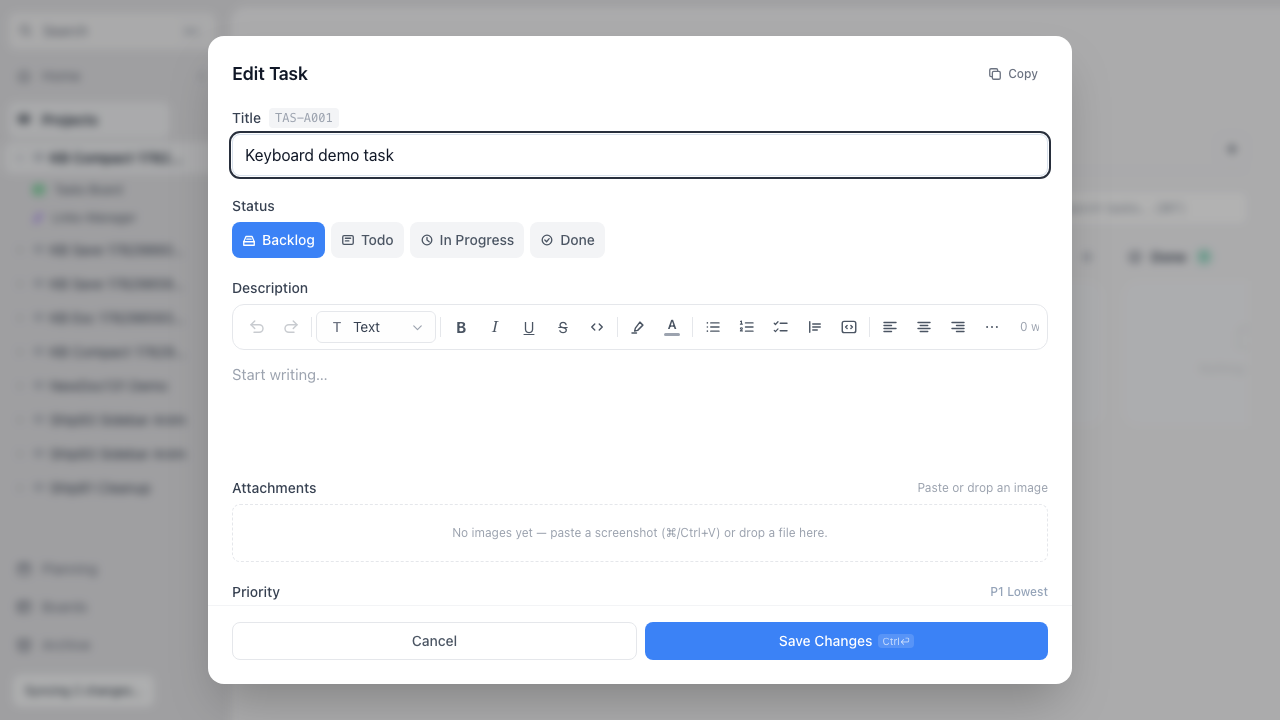
Compact: the whole task fits — note the ⌘⏎ hint on Save.
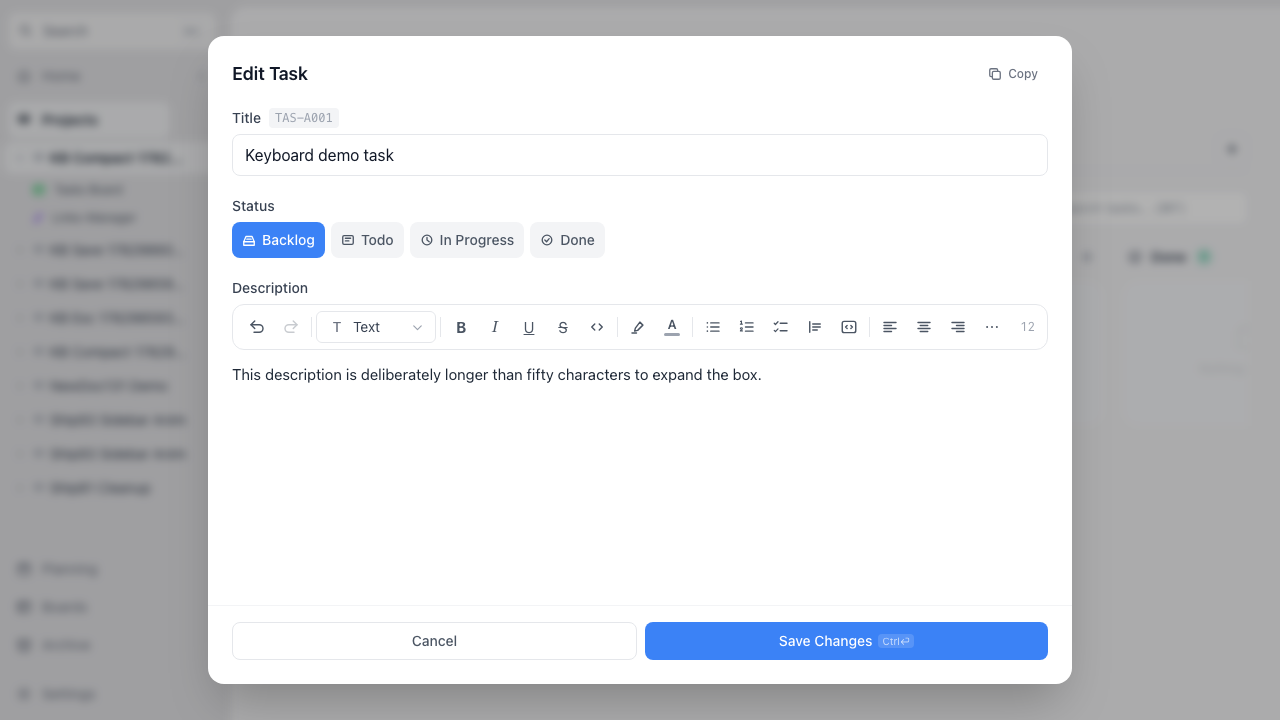
After typing past the threshold: the box has grown to full height.
Video: creating a task, opening it compact, typing until it expands. (Throwaway project — created and deleted by the capture.)
2 · ⌘+Enter saves & closes
Press ⌘+Enter (or Ctrl+Enter) anywhere in the
editor — even while typing in the description — to save and close. No stray line break
is inserted (the shortcut is intercepted before the rich editor sees it). The Save button
shows the shortcut on desktop.
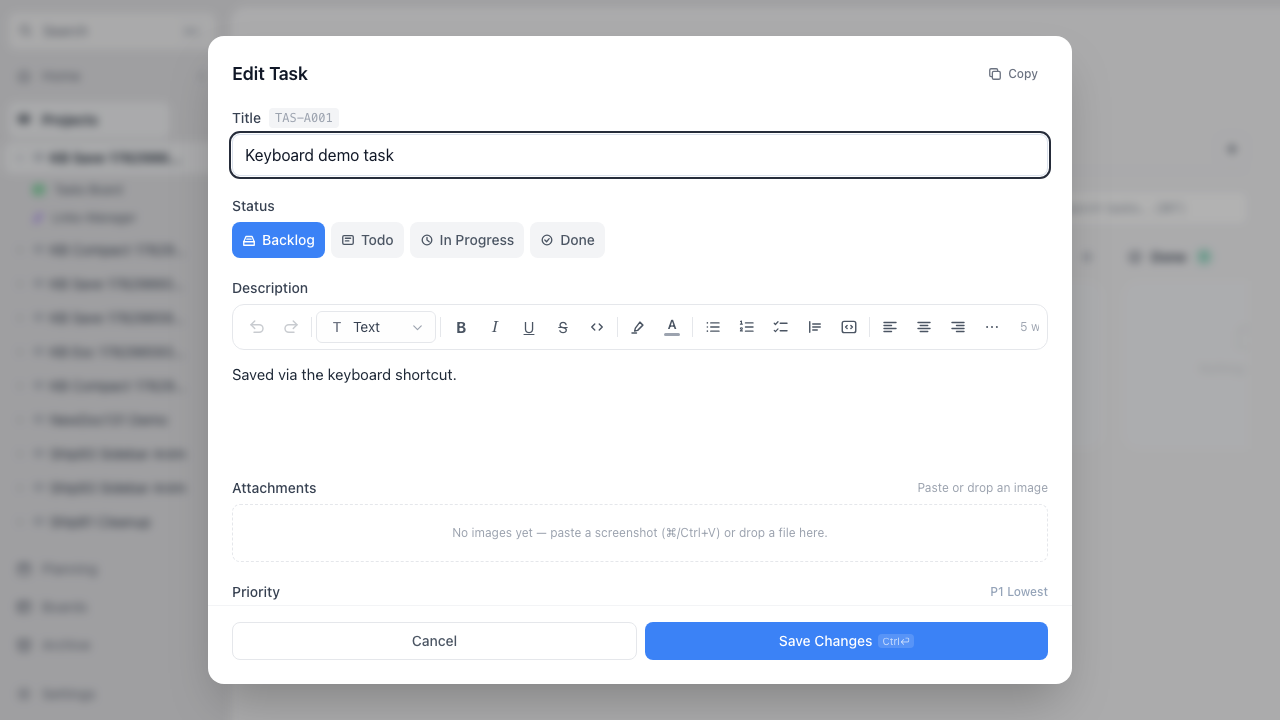
Reopened after ⌘+Enter: the description persisted.
Video: typing a description, ⌘+Enter, modal closes, reopen shows it saved.
3 · Esc closes in two steps
While you're typing in a field, the first Esc only steps out of it — so a
half-typed task can't be lost to an accidental close. A second Esc closes the
editor. The tag picker and inline subtask edits keep their own Esc behavior.
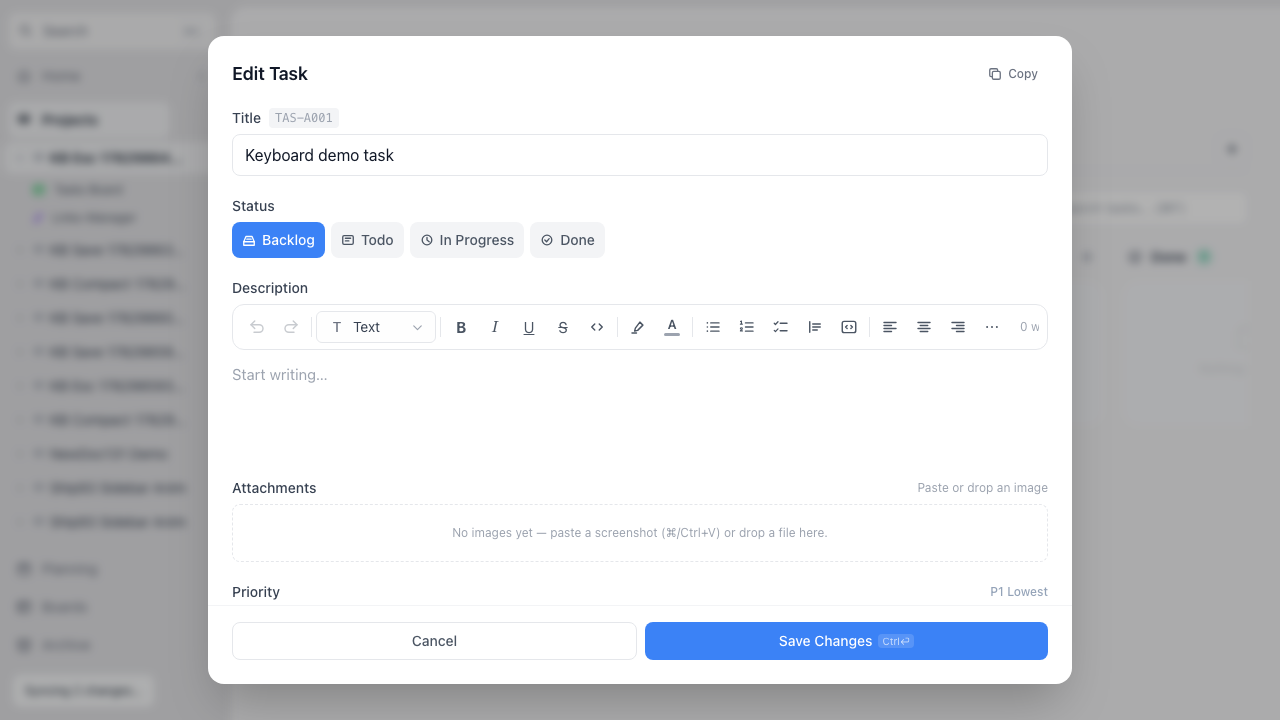
After the first Esc: focus left the title field, the editor stays open.
Video: Esc once (blur), Esc twice (close).
QA checklist (same items re-checked on prod after merge)
- 1 · Open a task on desktop → compact description; attachments/priority/tags visible; Save shows ⌘⏎
- 2 · Type past ~50 chars or a 3rd line → box grows; long-description tasks open full-height
- 3 · ⌘/Ctrl+Enter anywhere (incl. mid-typing) → saves & closes, no stray line break
- 4 · Esc while typing → blurs only; second Esc closes
- 5 · still works: tag picker owns its own Esc + ⌘+Enter
- 6 · still works: subtask add/edit Esc/Enter
- 7 · still works: mobile modal unchanged (full editor, no badge)
- 8 · still works: Save/Cancel buttons, backdrop click closes
Deployed?
| 🌐 App — Preview (PR #189) | ✅ built |
| 🌐 App — 🚀 PRODUCTION | ✅ LIVE — 4b13c3d (deploy:success, 2026-07-02 09:43 UTC) |
| 🗄️ DB — Dev / Production | — n/a (no schema change) |