Kanban · Release · PR #78 · LIVE
Sidebar follows the focused tab
The left sidebar now orients to whatever tab you're on — auto-expanding the active object's project, opening the folders down to it, and highlighting its row. Captured by a real end-to-end test on the production site.
At a glance
- "You are here" — opening a board/doc highlights its row in the tree and auto-expands its project.
- Folder reveal — any folders on the path down to the object open so the highlighted row is visible.
- Highlight follows tabs — switching tabs moves the highlight to the new object and reveals its project.
- Never fights you — reveal only ever opens; a manual collapse afterward sticks.
- No data/schema change — UI only; all sidebar/group/object actions preserved.
How this was captured: a real e2e run on the live site (signed in as the prod test user). A temp project with two boards was created, filmed, and deleted — no leftover data on prod.
1UI/UX
Highlight + auto-expand follow the active tab
A throwaway project Ship78 Sidebar with two boards. With Beta focused, its project is expanded and the Beta row is highlighted. Click Alpha in the tree and the highlight moves to Alpha — the sidebar always marks the object you're looking at.
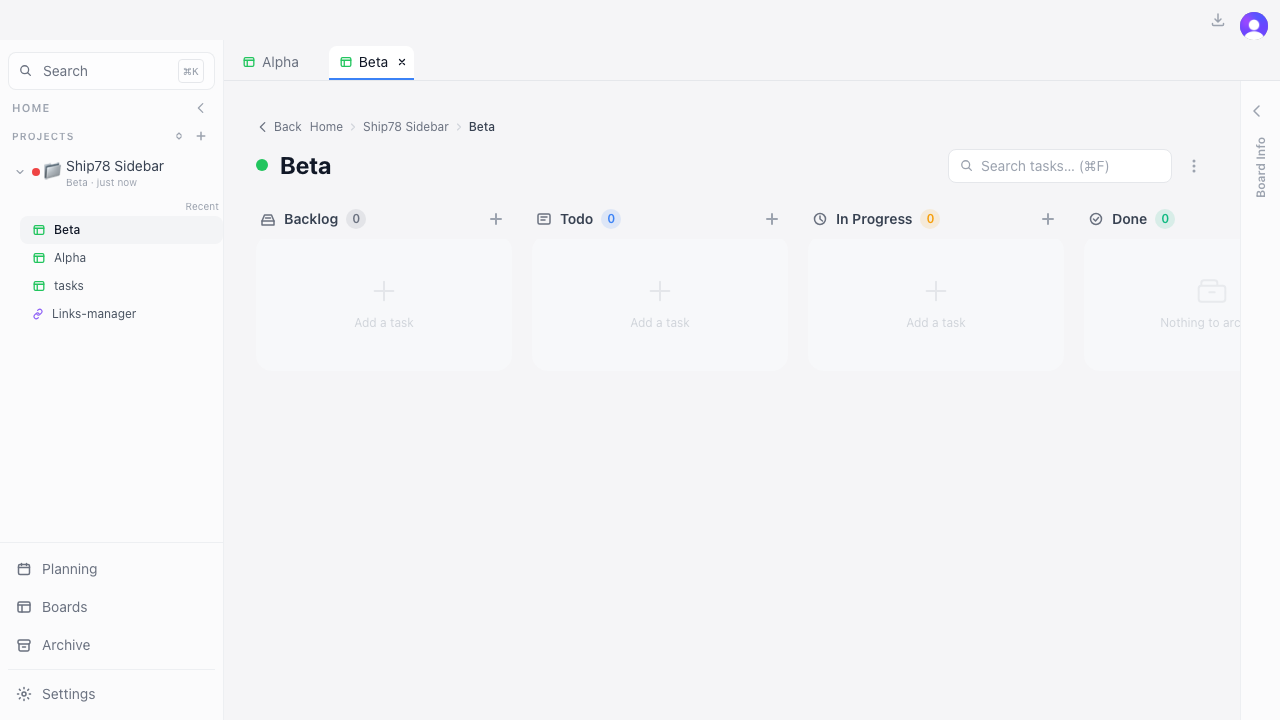
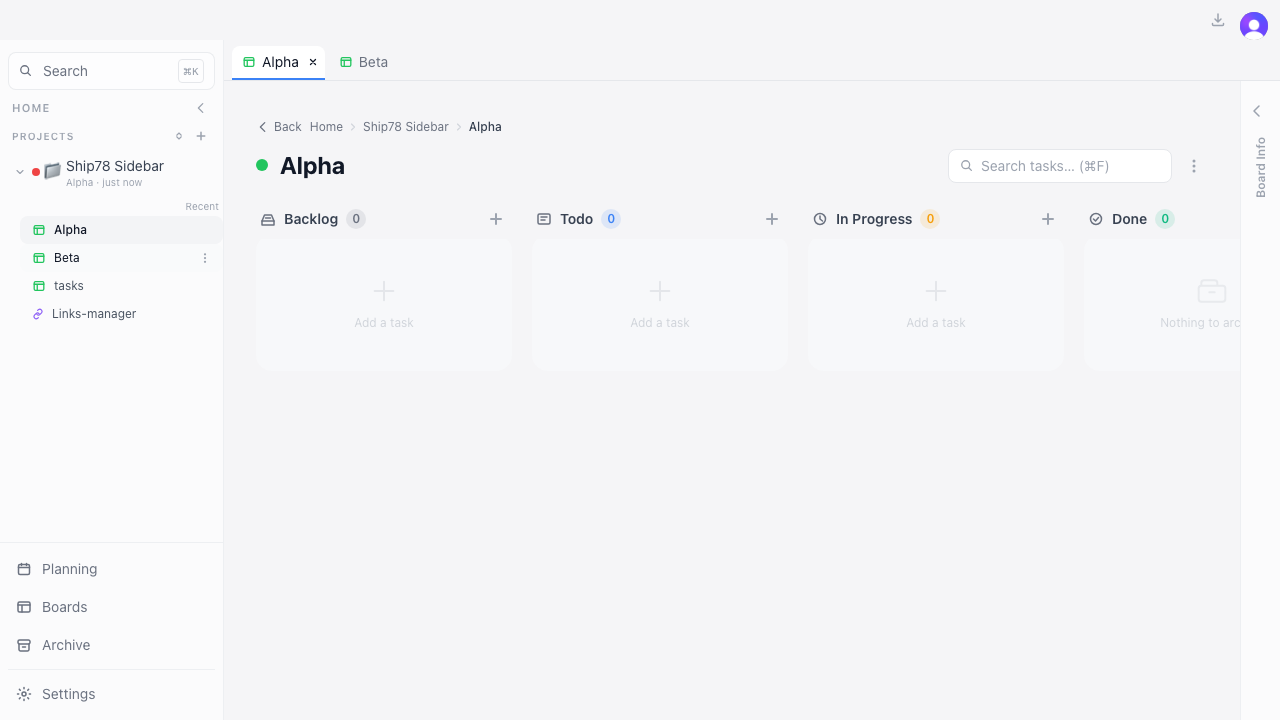
Video · opening Beta, then switching to Alpha — the highlight follows
Verify on the live site
- Open a board/doc → its project auto-expands and its row highlights.
- Switch between open tabs → the highlight follows the active tab.
- Manually collapse a project after it opened → it stays collapsed.
✓REGRESSION WATCH
Existing flows still work
Confirmed
- Expand/collapse a project manually; expand-all / collapse-all toggle.
- "No project" board/doc rows still highlight when active (shared active style).
- Group create/rename/move/delete and opening objects from the tree.
kanban · update-app ship report · PR #78 · 018c968 · prod e2e